After creating your sub-brokerage company, you need create to create users in the company so they can log in to the Lime Street Marketplace console and start using the system.
This article is for admin type broker users of top level Brokerage Companies; Non-admin broker users, Underwriter Admins and Sub-Broker users are unable to access Broker Management.
You can create new and edit existing brokers users for users in your sub-brokerage companies in the Brokers Management page.
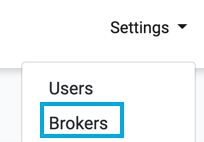
Access it via the
Settings>Brokers menu:
Example of Brokers Management Page:

Managing Sub-Broker Users
To manage sub-brokerage users, click on the Edit Users button:

This will display the User Management for the selected Brokerage Company page. When you first set up a company the user list will be empty, and you will have to create a user or users.
Example of User Management for Brokerage Page with User:
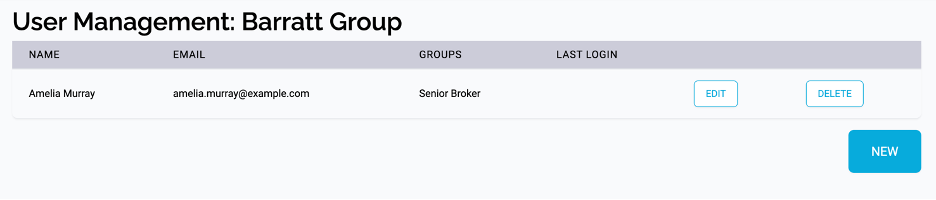
The method to add new sub-broker users is similar to adding users for your own brokerage company.
Please see the sections in
Users for details on how to
Add New Users,
Edit Users and
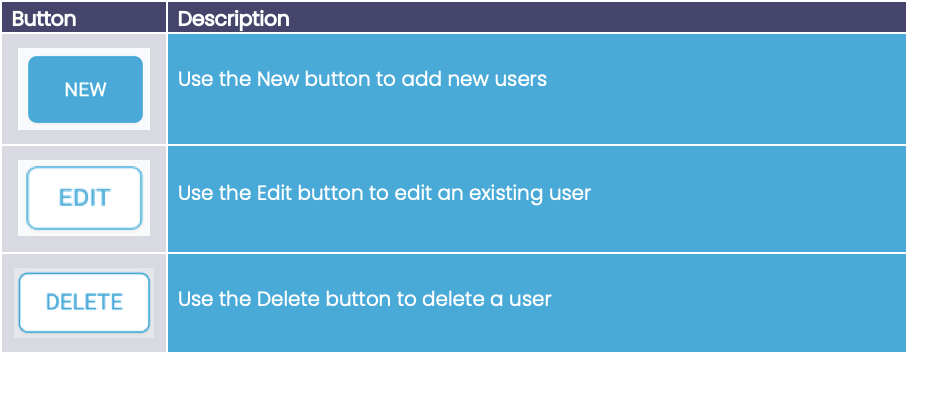
Delete User. Here is a brief reminder:
Assigning Groups
If you want the company to manage their own users, then you can assign the administrator user the Broker Admin group (providing full permission to the console including all broker tasks) or the User Management group (providing permission to the Users section of the console).