A top level brokerage company can have sub-broker companies.
This article is for Broker Admin users or those admin users with access to Brokerage Management; Non-admin broker users and Underwriter Admins are unable to access Broker Management.
If you are a primary/top level broker organization and have been given permission to Brokerage Management, you can manage sub-broker companies by creating new and editing existing companies. These tasks can be performed in the Brokers section.
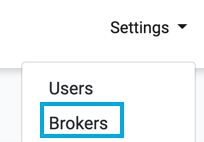
To access Broker Management, press the Settings>Brokers option in the top menu:

The Broker Management page is displayed and lists all your sub-brokerage companies that have been added.
Example of Broker Management Page:

The table shows the details of configured brokerage companies.