As an admin user of a top level brokerage company, you can create broker companies that are below your organization, these are sub-broker companies.
This article is for
admin type broker
users of top level Brokerage Companies; Non-admin broker users, Underwriter Admins and Sub-Broker users are unable to access Broker Management.
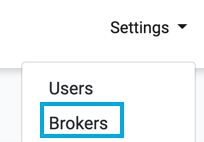
To add a new sub-broker company, press the Settings>Brokers option in the top menu:

The Broker Management page is displayed and lists all your sub-brokerage companies that have been added.
Example of Broker Management Page:

Add New Company
To add a new brokerage company, click on the New button:

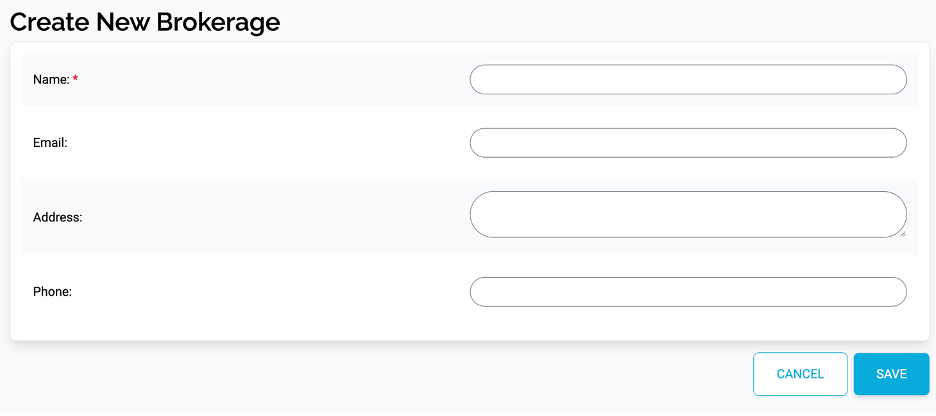
This will display the ‘Create New Brokerage’ page.
Example of Create New Brokerage Page:
Enter Brokerage Details
In the Name box, enter the name of the new brokerage company. Name is a mandatory field and must be filled in before creating the company.
In the Email, Address and Phone fields, enter the contact details for the company.
Save Company
Once you have entered the details for the new user press the Save button.

You are returned to the Broker Management page and the new company is added to the list of broker companies. You can now add users to the new brokerage company.