For a quote with status Quoted or VRI you can view a Quote Overview page to help manage the quote.
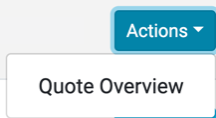
The page can be accessed by using the
Actions menu for a Quoted/VRI quote in the Quotes List page:
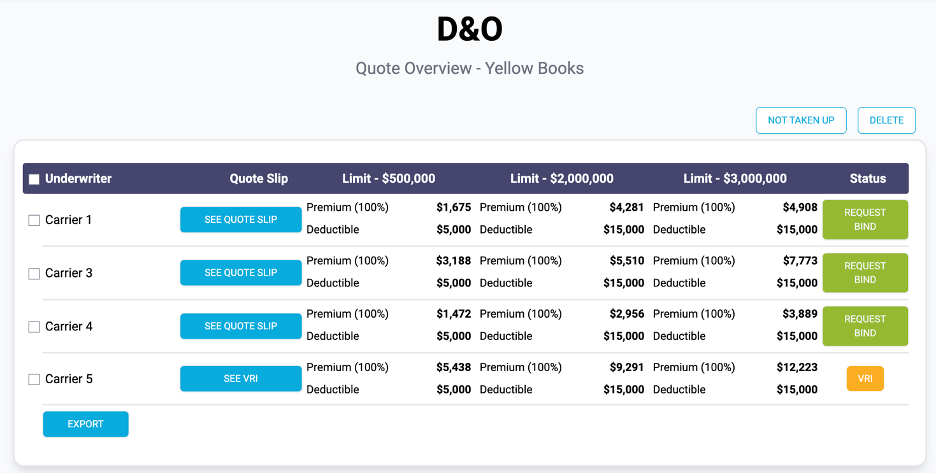
The overview page displays a list of carriers who have generated a Quoted or VRI Status for the selected quote. From this page you can view the premium values for each carrier/limit, access the quote slip/VRI, request bind and change the status to Not Taken Up.
Example of Quote Overview Page:
Actions
In the Overview page you can:
- See Quote Slip for a Quoted status quote
- Request Bind for a Quoted status quote
- See VRI for a VRI status quote
- Set quote to Not Taken Up
- Delete quote
The options available for all status in the page depend on the status of the quote. Let’s look at each different status.
Quote Overview – Quoted Status
When a quote of Quoted status has been selected, the Quote Overview page displays a list of carriers who have successfully generated a quote.
Example of Quote Overview Page – Quoted Status:

In the Overview page for a quoted quote you can
- See Quote Slip
- Request Bind
- Set quote to Not Taken Up
- Delete quote
Quote Overview – VRI Status
When a quote of VRI status has been selected, the Quote Overview page displays a list of carriers who have successfully generated an VRI for the quote.
Example of Quote Overview Page – VRI Status:
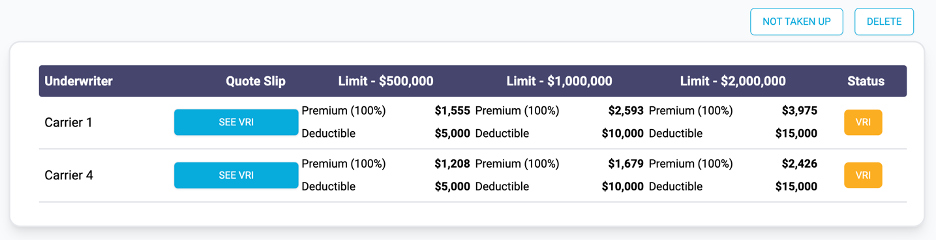 In the Overview page for a VRI quote you can:
- See VRI
- Set quote to Not Taken Up
- Delete quote