For security reasons, it's important to have a strong password for your account and not share your password with others.
When creating, changing or resetting your password you will notice a bar between the passphrase boxes. This bar offers guidance on the passphrase you have entered:
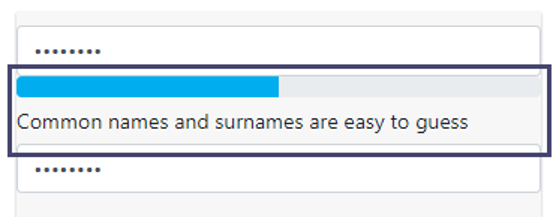
If the passphrase you enter is too weak, you will be prevented from using it and you may be presented with a message in the bar:
Examples of Passphrase Guidance:
- Common names and surnames are easy to guess.
- Names and surnames by themselves are easy to guess
- Sequences like abc or 6543 are easy to guess
- Dates are easy to guess
- This is a top-100 common password
- This is similar to a commonly used password
- Straight rows of keys are easy to guess
If you get any of these guidance messages, you will not be allowed to use that password and must enter a different value.
A color bar is also displayed, it increases in size when a good passphrase has been entered:
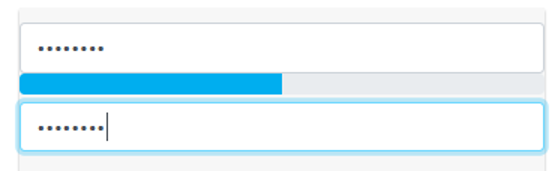
Examples of Passphrase Color Bar:
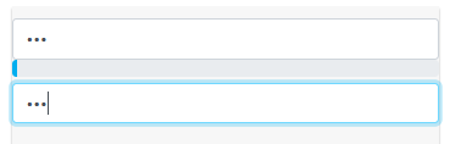
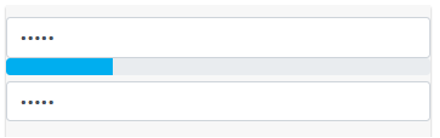
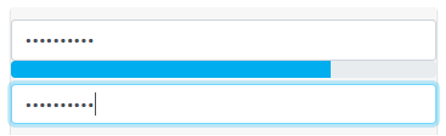
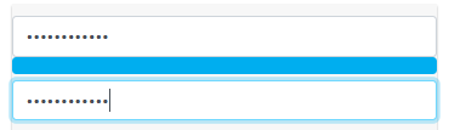
You should aim to have a strong password indicated by a full or nearly full blue bar.
If the passphrase you enter is too weak, and therefore is a security risk to the system, you will be prevented from using it as a passphrase. A ‘Passphrase too weak’ message will be presented if you try to set the passphrase.
Examples of Weak Password Message:
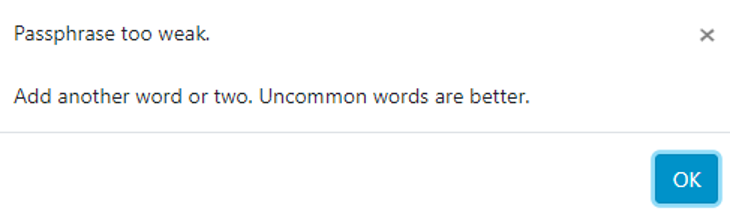
You should enter your passphrase and ensure the strength check has changed to a strong blue bar before pressing the Set Passphrase button.