If you have forgotten your passphrase you can reset it and create a new one.
Know your password?
Click here to learn how to change your password when you know your existing one.
Go to the Lime Street Marketplace login page, and press the ‘Forgotten your passphrase?’ link:

The Passphrase Reset dialog box will be displayed:
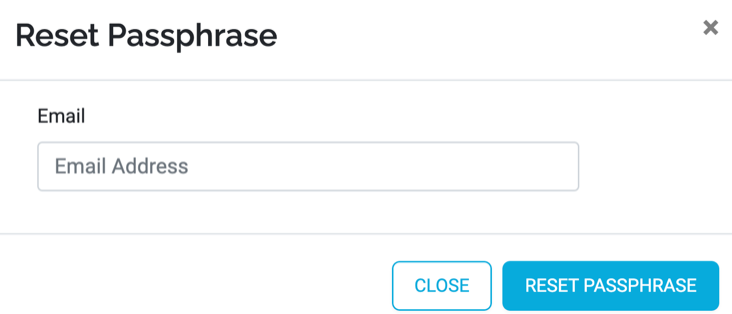
The close button in the Passphrase Reset dialog will return you to the login page and will not reset your passphrase, your existing passphrase will still be valid.
To change your passphrase, enter your email address into the Email box and press the ‘Reset Passphrase’ button. You will be returned to the Login page and a green message box will indicate that a passphrase reset email has been sent to your email account:

This email will provide you with instructions on how to reset your passphrase. Open your email program and look for the passphrase reset email.
Example of Passphrase Reset Email:
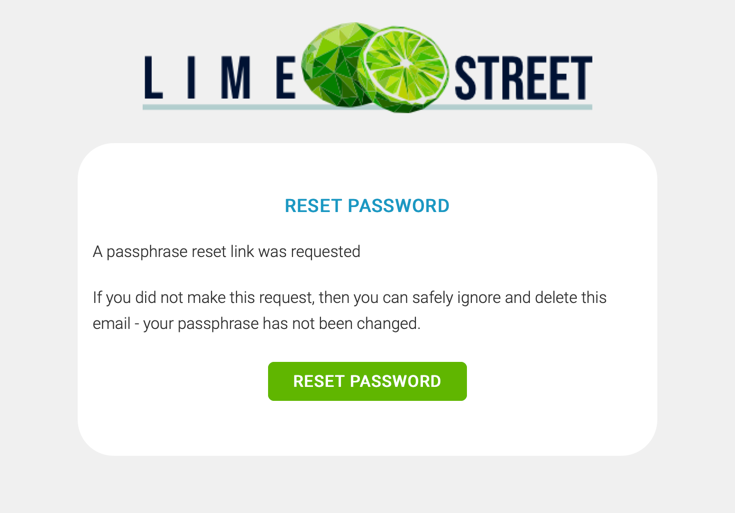
In the email, click on the ‘Reset password’ button. This will take you to the Set Passphrase page:
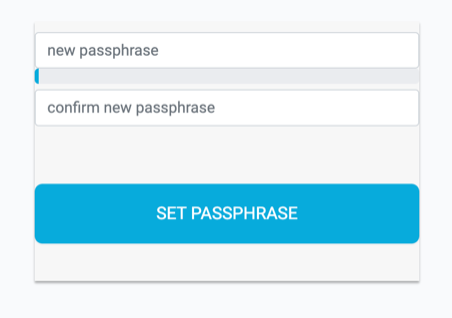
Enter a new passphrase and the confirm passphrase in the boxes. The color bar between the boxes will indicate the strength of your passphrase, ensure you enter a strong one.
Once you have entered the passphrase and confirm passphrase, press the ‘Set Passphrase’ button. This will take you to the login page where you can use your email address and new passphrase to log in to the console.