If you know your existing password but want to change it, this task can be performed in the Lime Street Marketplace Console. Log in to the console with your email and password.
Forgotten your password?
Click here to learn how to fix this.
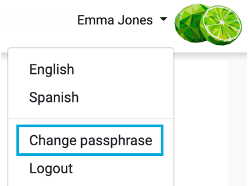
You will see your name in the top navigation menu on the right side. Click on your name to display the menu options, then select the ‘Change Passphrase’ option. :



This will display the Change Passphrase page:
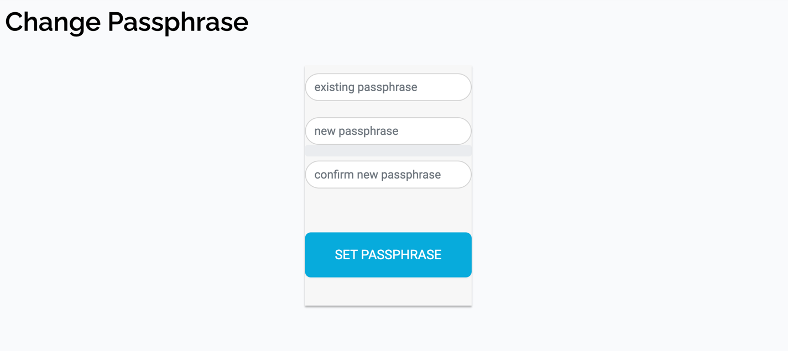
Enter your existing password, a new password and the confirm new password in the appropriate boxes. Ensure you enter a strong password.
Once you have entered your values in to the three fields, press the Set Passphrase button.
You will be returned to the Home page and a message will be displayed in a green section to indicate the success of the update. When you next login to the console you will need to use your new password.