When a broker generates a quote in Lime Street Marketplace that requires approval before continuing, the underwriter can easily perform a series of simple steps to issue the quote using the Low Touch feature:
- Action the New Submission email
- Perform security check
- View and read the submission
- Confirm the submission
Let's look at the New Submission email step.
New Submission Email
When a broker generates a quote or VRI that requires approval, you will receive a New Submission email with summary details of the submission.
In your email application, look for the New Submission email.
There are two types of Submission emails depending on how your Underwriting company is configured. The options are:
- Quoted/VRI Status where prices are provided
- Referred Status where prices are not provided and should be supplied by you during the Issue Quote process
Example of New Submission Email - Quoted/VRI Status where Prices are Provided:
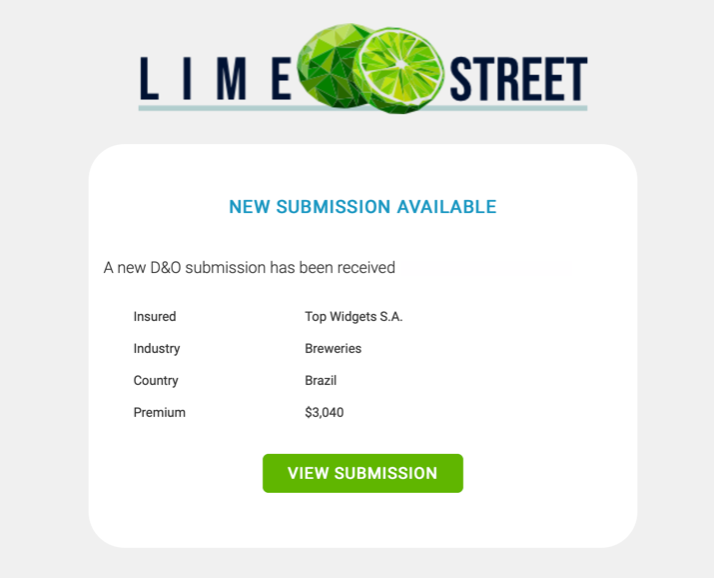
In the email, press the View Submission button:

Example of New Submission - Referred Status where Prices are not Provided
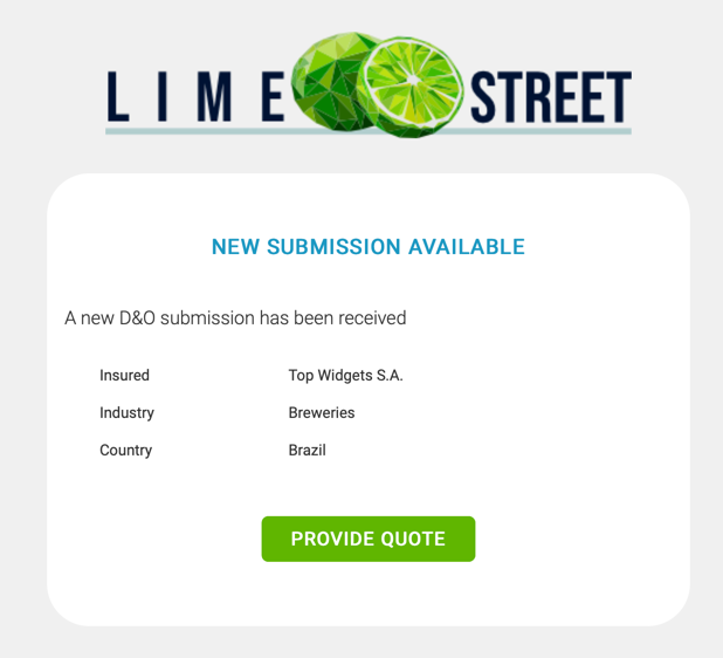
In the email, press the Provide Quote button:

After pressing the button in the email, you are directed to a security check and then the View Submission page where you can view the quote details and continue on to issuing the quote.