When a quote has multi-carriers, it may return a result of an
Incomplete status for a carrier or carriers. This indicates that a quote could not generated because answers required for the carrier/carriers have not been answered.
Example of Quote Results with Incomplete Status:
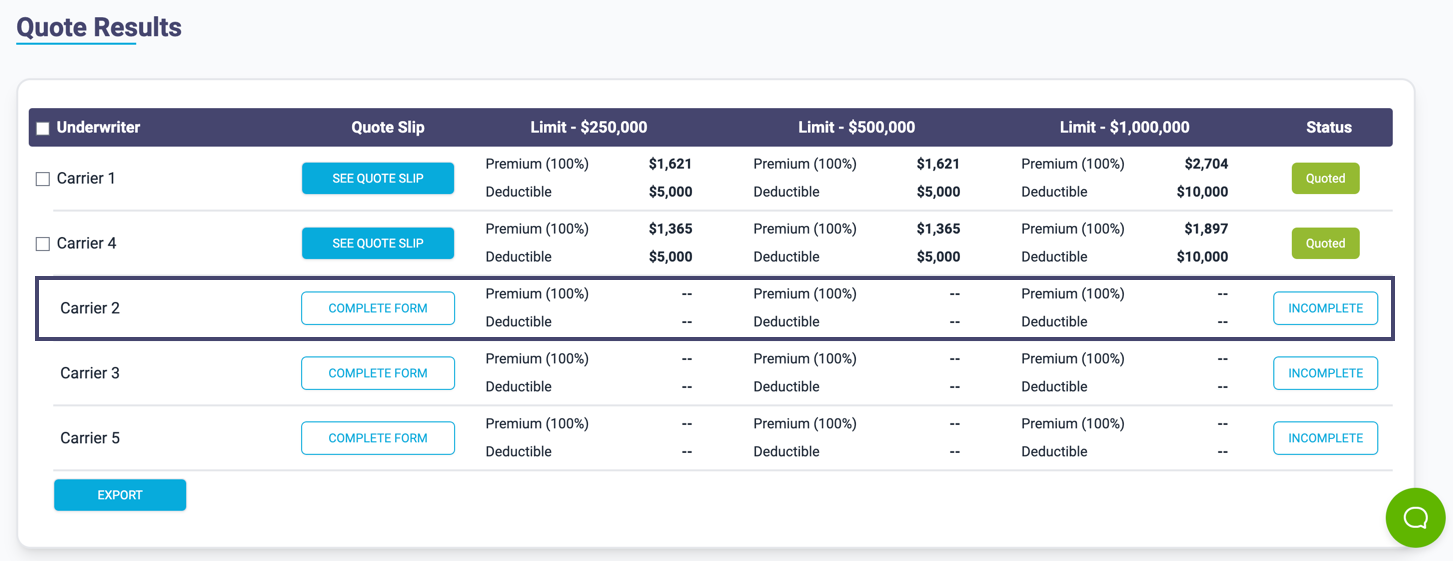

If you want to quote the carrier with status
Incomplete, you can press the Complete Form button for the selected carrier:

Example of Incomplete Questions for Carrier:
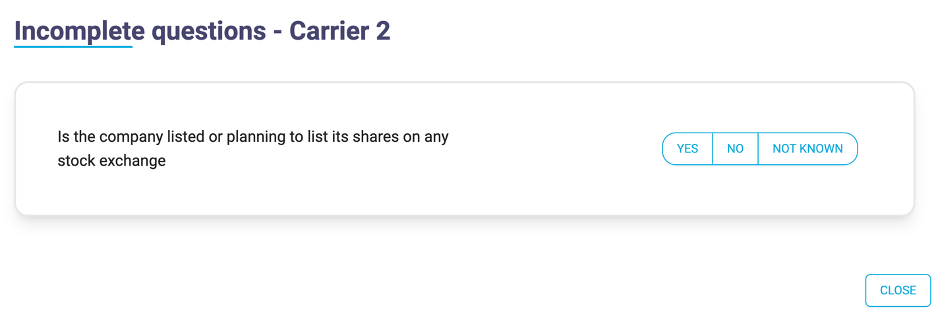
Complete the questions on the form and press
Close. You must then regenerate the quote to update it by pressing the
Generate Quote button:

The carrier’s result will now be updated and depending on the answer given a status of Quoted, VRI, Declined or Referred.
Example of Updated Quote Result:

If other carriers with Incomplete status are to be quoted, then ensure you complete their forms/questions before you re-generate the quote.
Alternatively, you can use the tab pages in the
Multi-Carrier section.
Example of Multi-Carrier Tab Pages – Missing Answers:
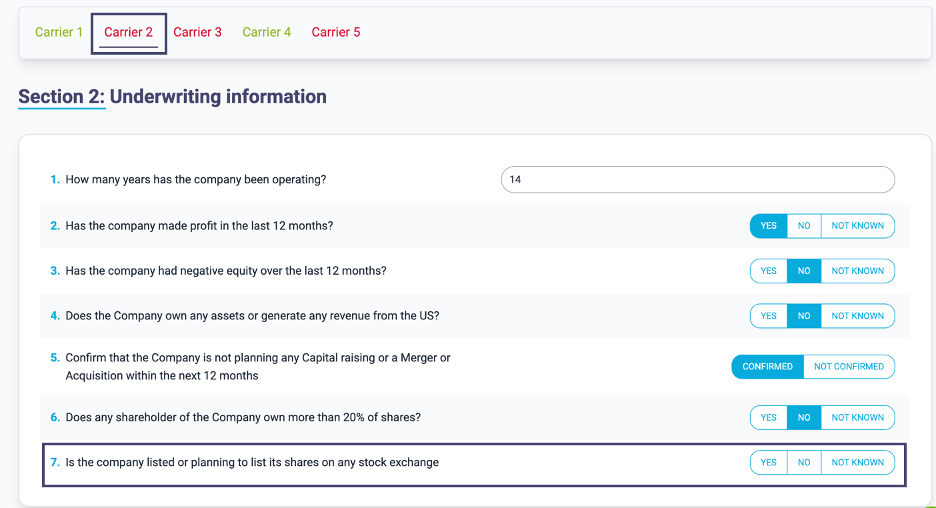
Those carriers with missing answers are highlighted with
red text in the tab page names, click on the tab and answer the questions.
Note: Where questions are shared between carriers, these will be pre-populated if you have already answered in a different carrier’s question page.
Repeat for other carriers that are to be quoted then press the Generate Quote button again to regenerate the quote and get updated results.