Where a product and/or your brokerage has multi underwriters able to quote, a Multi-Carrier section may be presented in the Create Quote page.
Example of Multi Carrier List Section in Create Quote Page:

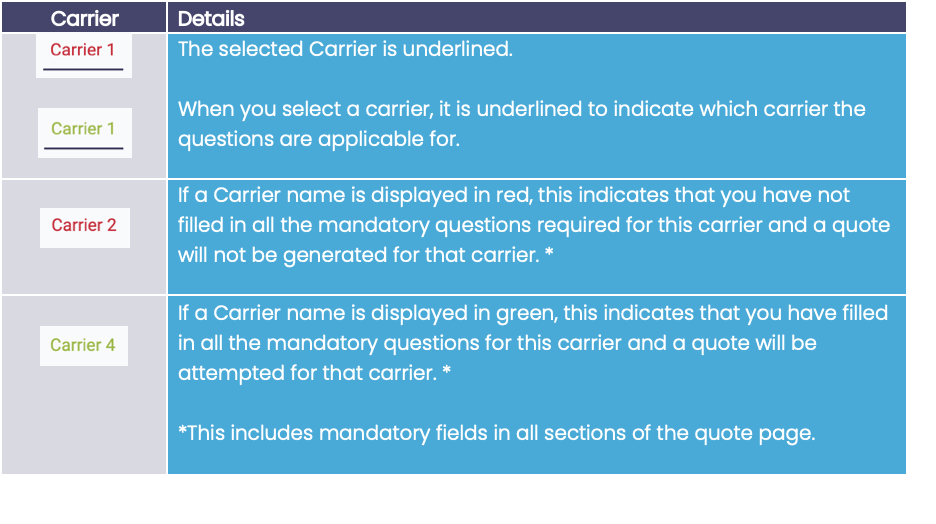
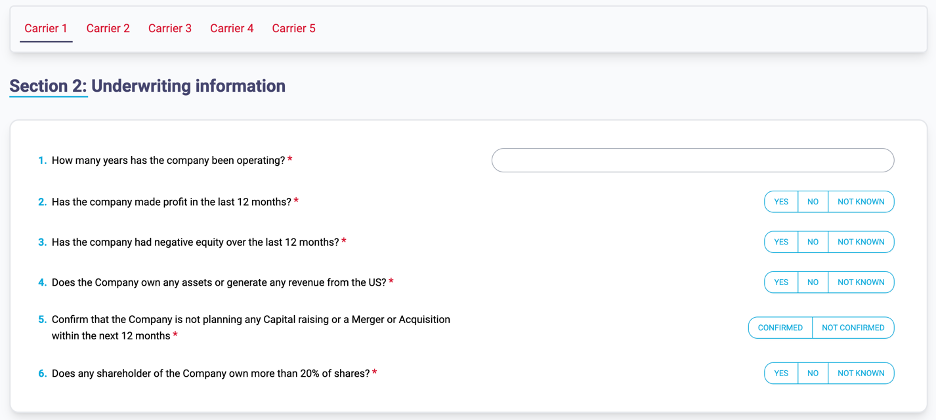
Questions for the selected Carrier are displayed in the section below the Carrier List.
Examples of Selected Carrier Questions:
Carrier 1
Carrier 2
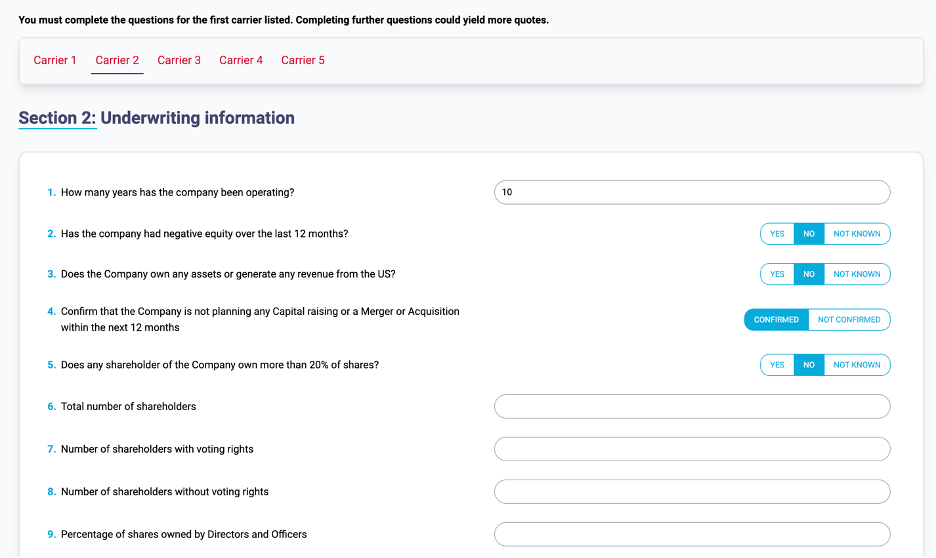
Move along the carriers’ questions by selecting each carrier that you want to quote for and answering the questions.
Where questions are shared between carriers, these will be pre-populated if already answered in a different carrier’s question (as shown in image above).
Continue to answer the questions, then press the Generate Quote button when ready to proceed.