The Quotes List Table displays the quotes created by brokers with an overview of each quote:
Example of Quotes List Table:
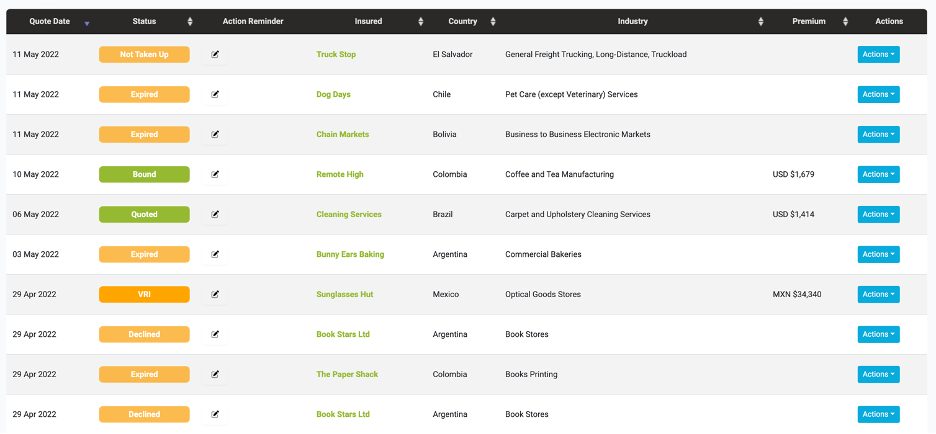
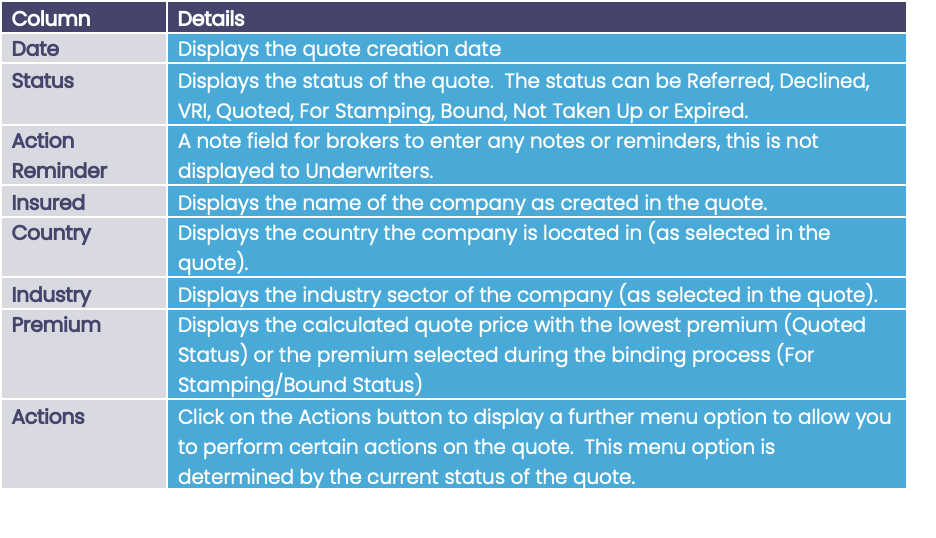
Fields Available to Broker:
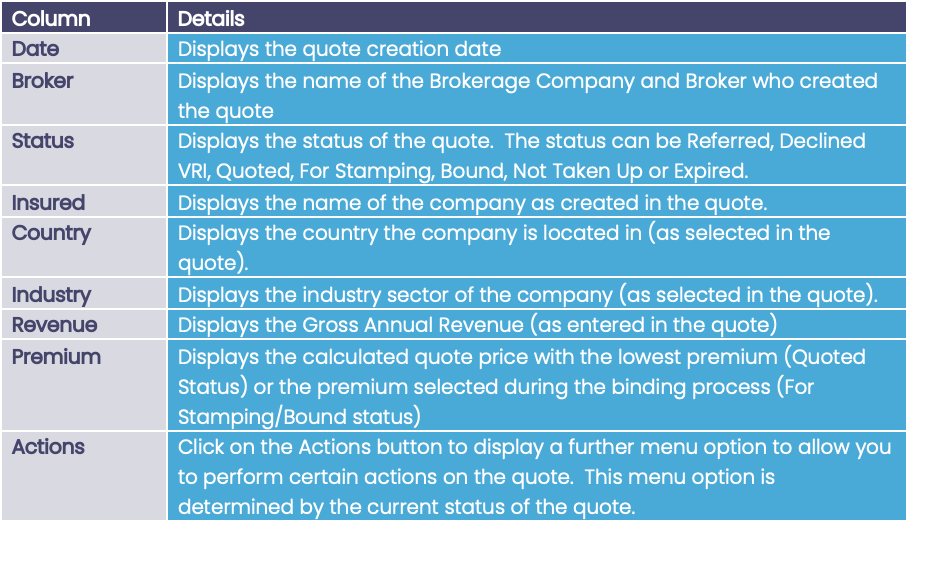
Fields Available to Underwriter:
When you first go to the Quote List page it displays the full list of quotes regardless of status, the filter is on All. This filter can be changed to show different quote statuses, see
Quote List Filters :

Quote List Sort
The list of quotes can be sorted by clicking the table heading e.g., if you want to sort the list by Country then click on the ‘Country’ table heading, this will sort it in ascending order; click on it again to sort in descending order.

Sorting will work on the following columns:
- Quote Date
- Status
- Insured
- Country
- Industry
- Premium
Additionally for underwriter users, sorting is available on:
- Broker
- Revenue
Page Navigation
The list displays 100 records per page. To move between pages, use the page navigation buttons at the bottom of the page:

Alternatively, you can use the ‘Show entries’ dropdown to change how many records you would like each page to display:
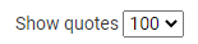
Click on the field to display the list of 10, 20, 100 or 500 and select one. The table will then change to display that number of records on each page.