The Quotes Menu can be used to filter and search quotes
Example of Quotes Menu:

Quote List Status Filter
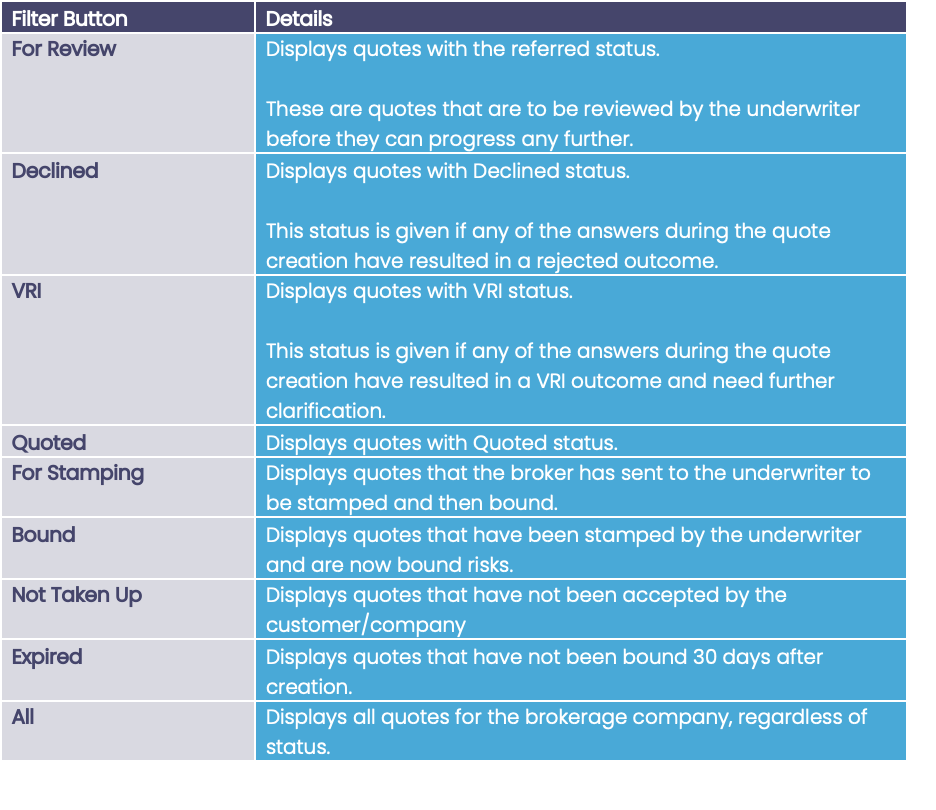
Quotes can have different statuses depending on the answers or the progress of the quote. Different filters can be applied to the Quote List by pressing the status buttons in the Quotes Menu.
Example of Quote List Status Filter:

The list can be filtered to display:
Search
If you know specific details of the quote you are looking for then you can use the Search field:

To use the search just start typing in the field. After 1 or more characters are typed the search will automatically start to filter the records and display them in the Quotes table. The search will look for your criteria in the Insured field.