Only broker users can edit quotes if they have the correct permissions. Underwriter users cannot change quotes.
If you require to change details of a quote you can edit a quote in Quoted or VRI status. All other statuses will result in a view only questionnaire being presented.
To edit a quote, click on the colored status button for the quote in the
Quote List:

This will display the questionnaire page for the quote.
Example of Edit Quote page:
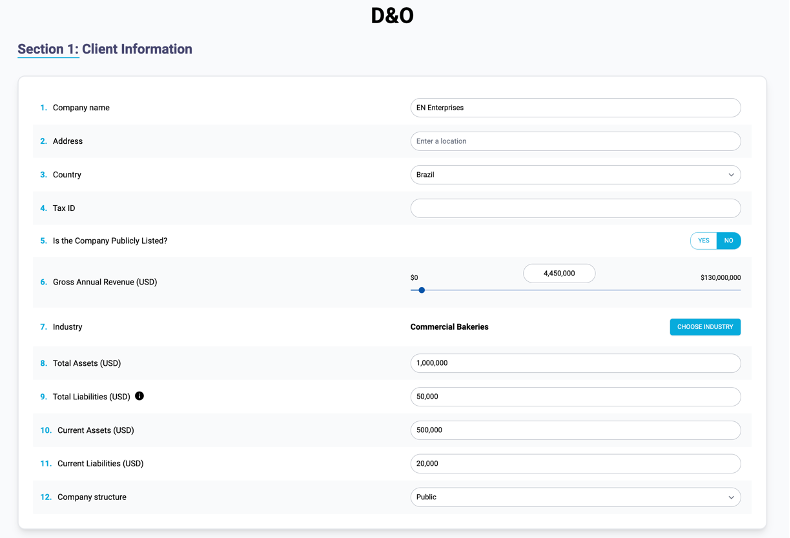
Previous saved answer values are displayed.
You can edit any field that is enabled, once you are finished press the Generate Quote button to recalculate the quote:

Once the results are returned, press the Confirm and Send button to initiate the emails to the applicable underwriters to notify them and allow them to process the quote if required: