As an underwriter you can convert a quote that has been referred. You can choose to convert the quote to either Quoted or VRI status.
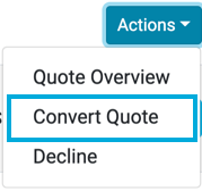
From the
Actions menu in the Quotes List select Convert Quote:
This will display the Convert Quote dialog:
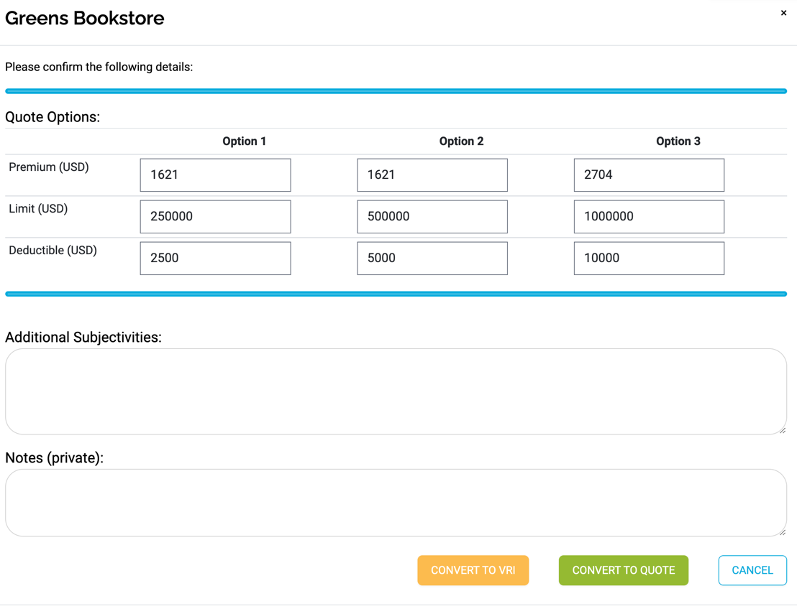
You can change the Premium, Limit and Deductible values for any of the Options, add any Additional Subjectivities and any Private Notes.
Use the Convert to VRI button to change the quote to VRI status:

Use the Convert to Quote button to change the quote to Quoted status: